
Blog · 27 September 2026 · 3 min read
Kowalski 2.3: Mission Control
Kowalski 2.3 Mission Control: a calm home with icon tiles, every run in one list named by what you asked, ⌘K to find anything, workbooks uploaded from kowalski, and follow-up questions on the same data.
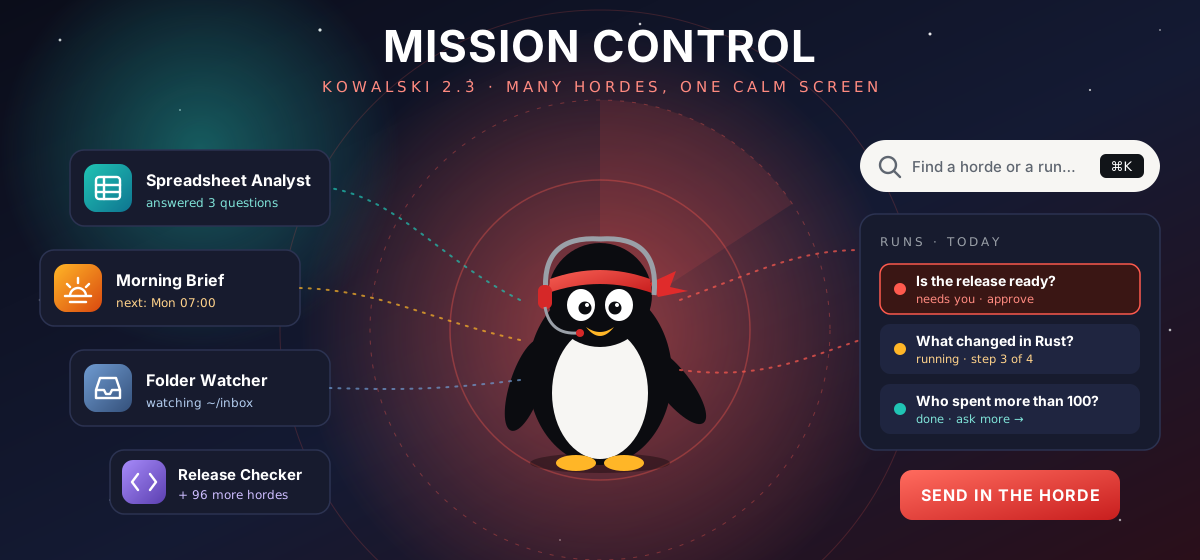
2.2 made kowalski readable. Then we used it every day, and three things got in the way. Every click on Hordes showed every horde. The list down the side took half the screen. And every run in the history had the same name, so "yesterday's question about the budget" meant opening each one until you found it.
2.3 is the fix. We called it Mission Control: a hundred hordes installed and still one calm screen.
A home that asks one question
The Hordes screen now opens on "What do you need done?" and a few large tiles: the hordes you pinned (or, until you pin some, the three we ship as featured). Each tile has a coloured icon for its kind of work (teal for spreadsheets, amber for web and news, steel for documents, violet for code) and one line of status: when it runs next, which folder it watches, or how its last run went.
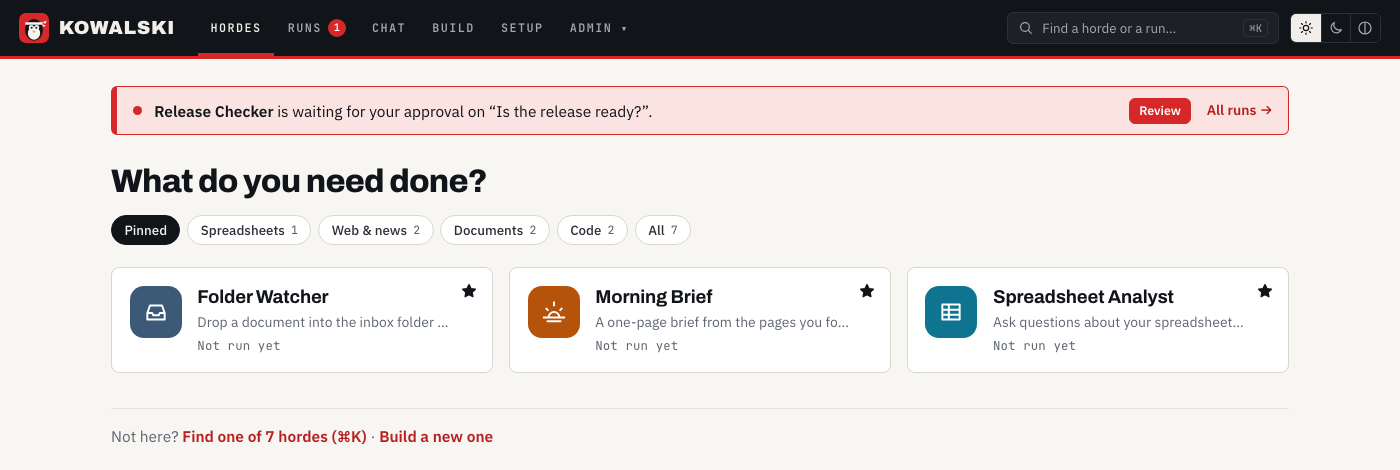
Chips filter by kind, and All stays quiet with a hundred hordes installed: smaller tiles, twelve at a time. The red strip at the top shows up only when a run needs you, for example a step waiting for your approval before it runs a command.
Every run, named by what you asked
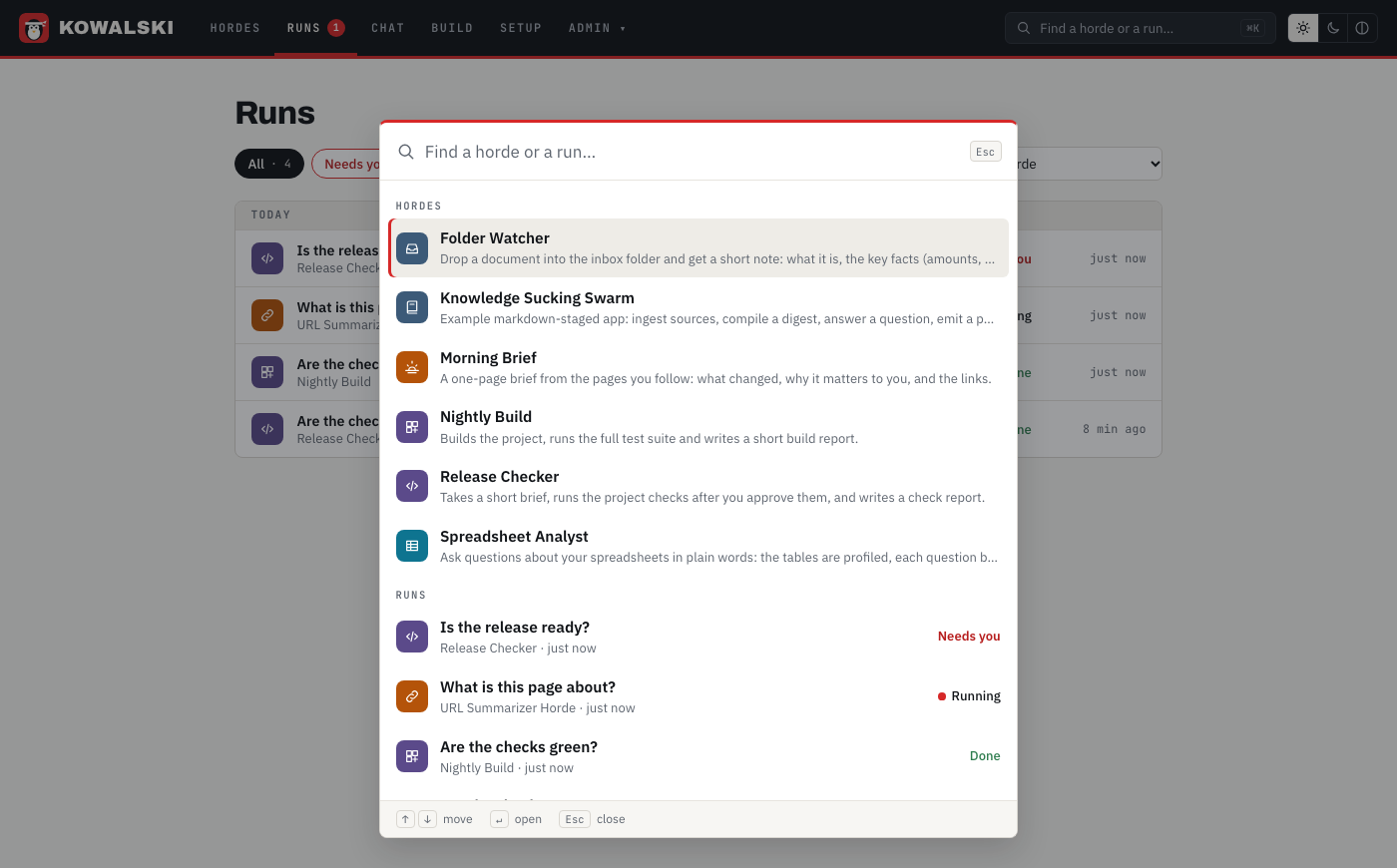
Runs have titles now, taken from what you asked: "Who spent more than 100?", the name of the file the Folder watcher picked up, or "Scheduled run" for the 7:00 brief. The new Runs page lists them across all hordes, grouped by day, with filters for Needs you and Failed, and a link for every run so you can send it to someone.
⌘K for everything
Press ⌘K (or Ctrl+K) anywhere and type. The picker finds hordes by name or description, and recent runs by their titles. Enter opens the one you picked. With a hundred hordes it's the fastest way in, and with five it still saves you a click.
Spreadsheets without leaving kowalski
The Spreadsheet analyst used to need a second browser tab to upload a workbook to tableski. Now the horde page has a Workbooks card: drop a file on it and it is uploaded to your tableski account, ready for the next question.
When an answer arrives, Ask more about this data starts a follow-up. It's a new run with its own title, it works on the same tables, and it knows what was already asked. "Which people spent more than 100 in total?" then "How old is the top spender?" works the way you'd expect.
Real workbooks are messy, so the analyst doesn't give up on them anymore. A sheet without a header row (a form, a budget template, a report) is read as labelled rows instead of a table, the answers still come back, and a short tip at the end says how to lay the file out for better results. It's advice, not a requirement.
Smaller things that add up
- A horde's form no longer empties itself while you type, and hordes with their own form show only that form.
- The Morning brief's pages live in one place, its form, so the scheduled run and a run you start by hand read the same links.
- Setup shows the new settings right after its restart, key fields have a show/hide button, and Save only lights up when something changed.
- Chat with tools no longer mistakes a code block in an answer for a broken tool call, and a tool loop never ends in an empty reply.
Get it
curl -fsSL https://raw.githubusercontent.com/yarenty/kowalski/main/install.sh | bash
kowalski
Pre-built for macOS and Linux, Intel or ARM. The crates are on crates.io too. Everything is open source under MIT at github.com/yarenty/kowalski; the full list of changes is in the changelog. New here? Start with what 2.2 brought, or with how the analyst keeps the numbers honest in Ask your spreadsheets.